How To Change The Keyfob Battery For A Jaguar XF (2020–2024)
The 2020–2024 Jaguar XF (X260 facelift) uses the updated InControl smart key. Here's how to replace the CR2032 battery yourself in under 5 minutes.
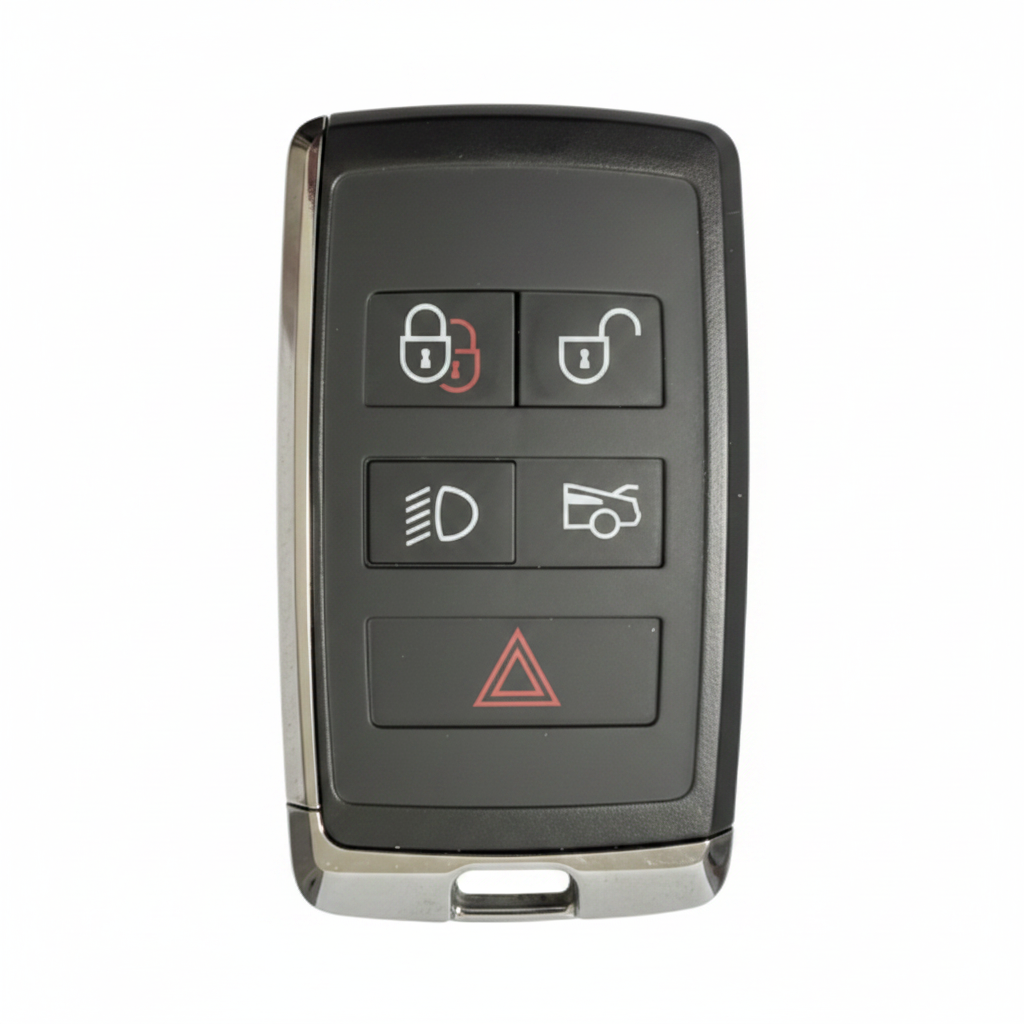
What You'll Need
- The keyfob itself
- Flat screwdriver or coin
- New CR2032 battery
Step-by-Step Instructions
Remove the emergency blade
Press the small release tab on the bottom of the keyfob and slide out the metal emergency key.
Identify the opening slot
Look at the edge of the keyfob near where the blade was stored. There will be a small notch or gap in the seam.
Prise open the casing
Insert the flat edge of the emergency key or a coin into the notch. Twist gently to begin separating the two halves. Work your way around the seam slowly.
Access the battery
Once open, the battery compartment is immediately visible. The CR2032 battery sits in a recessed tray.
Swap the battery
Remove the old battery and insert the new CR2032 with the positive (+) side facing UP. Press firmly until seated.
Snap the keyfob shut
Press the two halves back together — start at one end and work your way around until every clip engages and you hear a click.
Slide the blade back in
Reinsert the emergency blade until it locks. Press any button to verify the battery is active.
Pro Tip
If the 'Key Battery Low' message persists on your dashboard after replacement, turn the car on and off once — the warning should clear within a few ignition cycles.
Key Still Not Working?
If a fresh battery doesn't fix the issue, the problem is likely the vehicle's KVM module, a de-synced transponder, or a faulty key — not the battery. We diagnose and fix this on-site, same day.